
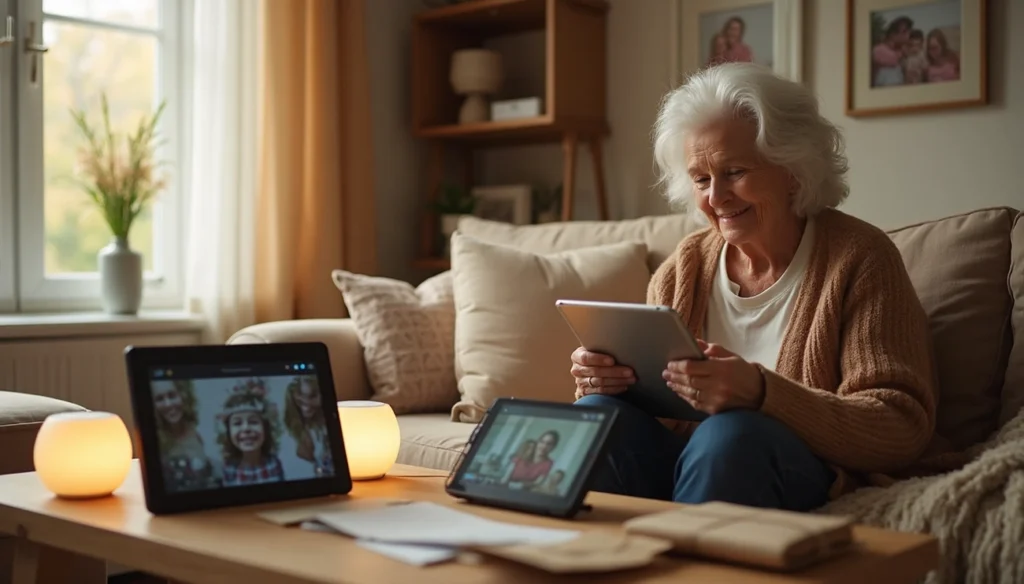
Direct answer: The best device for staying in touch with grandparents is the one they will actually answer. For most families, that means a tablet or smart display on a stand for video calls, plus a Wi-Fi photo frame that family fills from their phones. A plain phone number stays as the backup.
Most families shop for the device first. That is backward. The right pick depends on the grandparents’ home internet, their hands and eyesight, their hearing, and who in the family will fix it when something stops working.
If you are reading this at the kitchen table, worried that Mom is lonely or Dad keeps missing calls, take a breath. This is a fixable problem. Most of the fix is one afternoon of setup.
In my 18 years in lead generation, I have watched tech for older adults get sold on features. Grandparents rarely care about features. They care whether the call works when they tap a face on the screen.
What kinds of devices work for grandparents?
There are five main types. Each one solves a different problem.
Tablets do the most. They run FaceTime, Google Meet, WhatsApp and Zoom. They also hold photos, books and games. The downside is clutter. A new tablet is full of apps and alerts nobody asked for.
Smart displays are screens with a voice assistant built in. The grandparent says a name and the call starts. For someone with arthritis or a tremor, that removes the hardest step.
Wi-Fi photo frames ask the least of anyone. Family sends pictures from their phones, and new photos appear without anyone touching the frame. Most frames do not make video calls, so pair one with a calling device.
Senior tablets with cellular data work without home Wi-Fi. Family can often manage contacts from their own phones. They come with a monthly bill.
Phones and captioned phones still count. A big-text smartphone with a short favorites list works for many grandparents. For hearing loss, a captioned phone shows live text of what the caller says.
Swipe sideways to see every column.
| Device | Good fit for | Needs home Wi-Fi? | Ongoing cost |
|---|---|---|---|
| Tablet | Grandparents who like to tap and read | Yes, unless cellular | Internet |
| Smart display | Shaky hands, voice calling | Yes | Internet |
| Wi-Fi photo frame | Memory changes, low effort | Yes | Sometimes a photo plan |
| Senior tablet with cellular | Homes with no internet | No | Monthly service fee |
| Captioned phone | Hearing loss | Needs internet | Captions free if eligible |
Why does regular contact matter so much?
Feeling good is only part of it. The U.S. Surgeon General’s 2023 advisory on social connection found that poor social connection is linked to a 29% higher risk of heart disease. It is also linked to a 32% higher risk of stroke. For older adults, chronic loneliness and isolation are linked to roughly a 50% higher risk of dementia.
Those numbers come from long-term studies. They show a link, not proof that a video call prevents disease. Still, the National Institute on Aging gives the same practical advice. Schedule regular contact. Use video chat or smart speakers if they help a person stay engaged.
Kids gain something too. A standing call gives a grandchild a real relationship that does not depend on holiday travel.
What do the FCC and FTC offer families?
Several federal programs cover the parts families often pay for without asking.
Help with the internet bill. The FCC’s Lifeline program gives eligible low-income households up to $9.25 a month off phone or internet service. A household qualifies with income at or below 135% of the federal poverty guidelines. It can also qualify through SNAP, Medicaid, SSI, federal public housing aid or the Veterans Pension. Only one Lifeline benefit is allowed per household.
Free captions for hearing loss. The FCC oversees Internet Protocol Captioned Telephone Service. It is free to users who register with a provider and certify that they need captions. It shows live text of what the caller says.
Rules for kids’ apps. Under the federal COPPA rule, apps must get a parent’s permission before collecting personal information from children under 13. That is why parents, not grandparents, should pick the kids’ messaging app.
Local help learning a device. The Eldercare Locator connects families to their local Area Agency on Aging. Ask whether they offer tech classes or volunteer help.
Where do good setups break down?
Most failures are small and boring. A tablet lies flat on the table, so the grandkids see the ceiling. The battery dies, so the call never rings. Weak Wi-Fi freezes the picture, and the grandparent gives up.
Auto-answer is the feature that needs the most care. It lets approved family connect without anyone tapping a button. Keep that list short. Make sure the grandparent understands it and agrees to it. Close the camera shutter when the device is not in use.
Used devices carry a hidden risk. If the maker no longer sends security updates, skip it, no matter how cheap it is.
Scams are the biggest failure mode. The FTC warns that criminals can clone a loved one’s voice from a short clip posted online. Then they call a grandparent pretending to be a grandchild in trouble. The FCC adds that caller ID can be faked.
The losses are large. The FTC’s report on protecting older consumers says people 60 and older reported nearly $2.4 billion in fraud losses in 2024. In 2020, that figure was about $600 million.
Is a video device always the right answer?
The usual advice is to buy Grandma a tablet. Sometimes that is wrong. A weekly phone call beats a video device sitting in a drawer.
When memory is changing
Live video can confuse someone with memory changes. A photo frame with labeled family pictures may be easier to enjoy. If you add calls, keep them short and at the same time each week.
When hearing is the main problem
Video helps some people read lips. For others, a captioned phone works better because they can read every word. Ask the grandparent which feels easier, and believe the answer.
When there is no internet at home
Do not mail a Wi-Fi tablet to a home without Wi-Fi. Fix the internet first, or pick a device with its own cellular plan. Until then, use the phone. Paper mail counts too. Kids love getting envelopes, and grandparents love keeping drawings.
Where the money goes
Here is what I know from the marketing side. The device is often the cheap part. The money is in the monthly plan behind it. Senior tablets, photo storage plans and care packages all lean on recurring fees.
These products are often marketed to adult children, not grandparents. The ads speak to worry and guilt. I have seen ads hint that a government program pays for a free tablet. Lifeline is a discount on monthly service. Read the fine print before you fill out any form.
Lead forms are another cost. When you type your parent’s name and phone number into an ad for a free device, that information may be sold. Expect sales calls to follow.
Before you sign up for any service, ask four things:
- What does the monthly fee cover?
- Is there a contract or a cancel fee?
- Who owns the device if we cancel?
- Does the price go up after the first year?
Add a full year of fees to the device price. That is the real cost. Related: see our guides to essential tech for seniors, senior monitoring devices and consent, and protecting seniors from identity theft.
Nine moves for a 30-minute setup
Do this in person if you can. If not, do it on a phone call with the grandparent holding the device.
- Name one helper. One family member sets it up, keeps the passwords and handles fixes.
- Place it and plug it in. Put the device on a stand at eye level, next to their favorite chair.
- Connect Wi-Fi. Write the password on the help card from step 8.
- Update the software now. That way the screen does not change a week later.
- Cut the clutter. Remove unused apps. Turn off every alert except calls and messages.
- Make it readable and loud. Raise the text size and the ringer. Turn on captions if offered.
- Add five favorites at most. Use photos, so the grandparent taps a face instead of reading a name.
- Print a one-page card. Show how to answer, how to call family, and who to call for help.
- Test it and pick a time. Call from your phone. Have them answer and hang up on their own twice. Then set a standing time, like Sunday at 4:00.
What not to do
- Do not turn on auto-answer for everyone in their contacts.
- Do not post long voice clips of the kids in public places online.
- Do not skip the family safe word. A caller who cannot give it gets a hang-up.
- Do not let a screen replace a visit when a visit is possible.
Families often ask about medical alert systems for seniors in the same sitting. medical alert systems for seniors.
Frequently asked questions
What is the easiest device for grandparents who are not comfortable with tech?
A Wi-Fi photo frame is the easiest to live with, because family does all the work from their phones. For live calls, a smart display that starts calls by voice is usually simpler than a tablet. You can also set it to auto-answer from a short approved list, as long as the grandparent agrees to that.
Do grandparents need Wi-Fi for video calls?
Most calling devices need Wi-Fi. If the home has none, look at a tablet or phone with its own cellular data plan. Budget for the monthly fee before you buy. Also check whether the household qualifies for the FCC Lifeline discount of up to $9.25 a month on phone or internet service.
How can young kids stay in touch with grandparents safely?
Parents should choose the app, approve the grandparent’s account and control the contact list. Federal COPPA rules require apps to get a parent’s permission before collecting personal information from children under 13. Parent-controlled messaging apps let the parent approve every contact, which suits a young child who wants to message a grandparent directly.
How do we keep video calls from getting boring?
Give each call a job. Read a picture book together, cook the same family recipe in two kitchens, or play a simple game like I Spy. Older grandchildren can interview a grandparent about where they grew up and record it. Keep calls short for little kids and hold them at the same time each week.
How do we protect grandparents from the grandchild-in-trouble scam?
Set a family safe word and teach one rule: hang up and call back on a saved number before sending any money. The FTC warns that scammers can clone voices, so a familiar voice proves nothing. Treat gift cards, wire transfers, crypto and requests for secrecy as red flags. Report scams at ReportFraud.ftc.gov.
Your next step
Before you buy anything, call your grandparent and ask which kind of call feels easiest to them. Then answer the four fit questions: Wi-Fi, hands and eyes, hearing, and who handles tech support. Pick the simplest device that fits, and set a standing time for the first call this week.

Sources
- U.S. Surgeon General, Advisory on Social Connection (HHS)
- National Institute on Aging, Tips for Staying Connected
- FTC, Scammers Use AI to Enhance Family Emergency Schemes
- FTC, Protecting Older Consumers 2024 to 2025
- FTC, Children's Privacy (COPPA)
- FCC, Lifeline Support for Affordable Communications
- FCC, Internet Protocol Captioned Telephone Service
- ACL, Eldercare Locator