
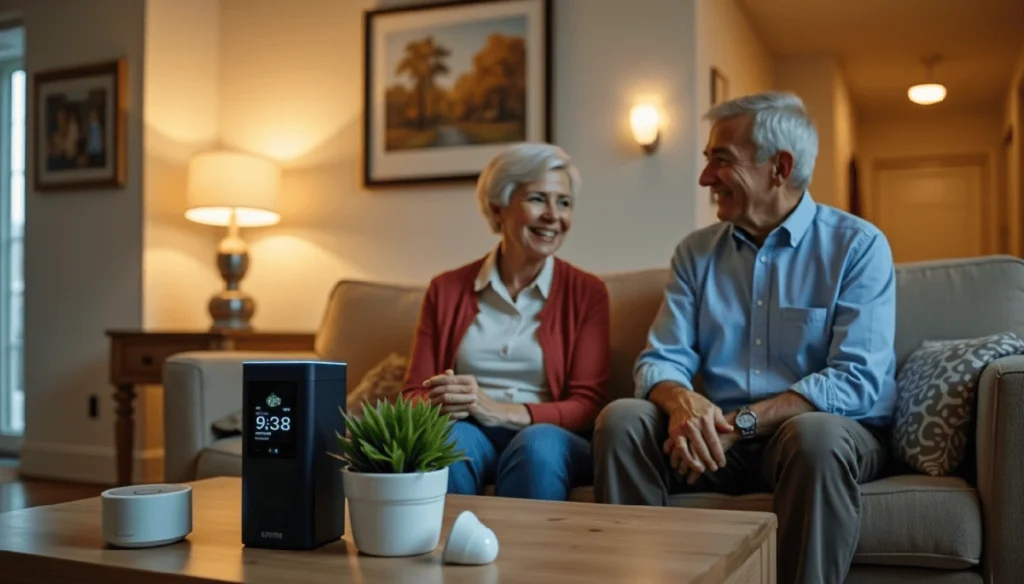
Direct answer: Senior monitoring devices can help an older adult stay safe at home, but only when the person agrees and the family knows who sees the data. Start with one clear worry, then pick the least intrusive tool that fixes it. Original Medicare usually will not pay, so plan on paying out of pocket.
Every senior monitoring device trades some privacy for some safety. A help button gives up very little. A camera in the living room gives up a lot. The person being watched pays that price, so they deserve a say in it.
The worry behind it is real. The CDC reports that more than 14 million adults 65 and older, about 1 in 4, report a fall each year. The U.S. Fire Administration found that in 2023, adults 65 and older were 2.5 times more likely to die in a fire than the general population.
If you are reading this at the kitchen table, worried about a parent, take a breath. You have time to do this in the right order.
Those numbers make a strong case for good smoke alarms and a way to call for help. They do not, on their own, make the case for a camera in someone’s home. The rest of this guide shows how to tell the difference.
What do senior monitoring devices actually collect?
No device is a must-have. Each one does a narrow job, and each one collects something. A camera does not help someone who needs a person to cook dinner. A motion sensor does not call 911.
Here is what the common types gather:
- Help buttons and pendants collect little until pressed. Some add GPS or fall detection.
- Motion and door sensors learn daily patterns. They show when someone wakes up or leaves the house. Families see activity but no pictures.
- Indoor cameras capture everyone in the frame. That includes the resident in private moments. It also catches visitors and paid aides. Many record sound too.
- Smart speakers can make hands-free calls and set reminders. They listen for a wake word and may store voice clips.
- GPS trackers show where someone is. Most keep a history of where they have been.
- Smart locks and video doorbells log who comes and goes.
- Connected health devices, like a blood pressure cuff, send readings to an app. If a doctor orders remote monitoring, that is a medical service with its own rules. Ask the practice who sees the data.
Swipe sideways to see every column.
| Device | What it collects | Privacy cost | Can it get help on its own? |
|---|---|---|---|
| Help button | Almost nothing until pressed | Low | Yes, if it has a monitoring service |
| Motion or door sensor | Daily routines, no images | Medium | No |
| Indoor camera | Video, often sound | High | No |
| GPS tracker | Location and history | High | Some models |
| Smart speaker | Voice commands | Medium | Only if set up to call |
Why does consent have to come first?
An adult who can make their own choices gets to decide if they are watched. Turning 80 does not change that. Being worried does not give a grown child the right to put a camera in a parent’s home without asking.
A good talk about consent covers a few points:
- Your worry, said plainly. For example, tell them you are scared they could fall and lie there for a day.
- The options, from least to most intrusive. Let your parent choose.
- What gets collected, and the names of the people who will see it.
- Rooms that are off limits. Bedrooms and bathrooms should never have cameras.
- How to pause or turn a device off, plus your promise to respect that.
- A date to review the setup together, a few months out.
When memory or judgment is slipping, the talk is harder, but the rule still holds. Involve the person as much as they can take part. Follow wishes they shared earlier.
This is why planning ahead matters. The National Institute on Aging explains how a health care proxy lets someone name who will decide for them if they cannot. That paper is much easier to sign before a crisis. Court guardianship is a last resort. It is no shortcut to installing cameras.
Who protects the data? Usually not HIPAA
Many families assume health privacy law covers these gadgets. It usually does not.
The Department of Health and Human Services says HIPAA applies to health plans, most health care providers, clearinghouses and their business partners. Most companies that sell home cameras or sensors are none of those. Their own privacy policy and state law set most of the rules.
The FTC can act against companies that lie about how they use data. Its Health Breach Notification Rule also makes many health apps and devices outside HIPAA tell users after certain breaches.
Before you buy, get answers to these questions in writing:
- Where is our data stored, and for how long?
- Who at the company can view recordings?
- Is data shared with or sold to advertisers or data brokers?
- Can we download our data and delete it for good?
- How do you handle police requests?
- What happens to the data if the company is sold or shuts down?
If a company will not answer clearly, treat that as your answer.
Security matters too. A device with a weak password can let a stranger look into a parent’s home. The FTC and CISA give the same core advice. Change default passwords. Turn on multi-factor login. Keep automatic updates on. Give each family member their own login so you can remove one person later, like a former aide.
The fine print: alerts nobody answers and bills Medicare skips
A system is only as good as the person who answers it. Many apps send every alert to every phone. Then each person assumes someone else is handling it. Or alerts come so often that people tune them out.
Before you turn anything on, agree on who gets which alerts and in what order. Decide what counts as urgent, like no movement by 10 a.m. Name a local backup with a key who can check in person.
Now the money. Costs stack up in layers, from the device itself to monthly fees and cloud video storage. Ask for a written 12-month total.
Original Medicare generally does not pay for home cameras or alert pendants. CMS lists phone alert systems as communication devices in its durable medical equipment reference list, and it does not cover them.
In real 2026 dollars, that looks like this. Per Medicare.gov, the standard Part B premium is $202.90 a month. That is $2,434.80 a year, plus a $283 Part B deductible. None of it buys a help button.
Compare that to the cost of a bad fall. Say a fall leads to a hospital stay and 30 days of rehab that Medicare covers. The Part A deductible is $1,736 per benefit period. Skilled nursing rehab days 1 to 20 cost $0. Days 21 to 100 cost $217 a day. So days 21 to 30 add 10 days times $217, or $2,170. That brings the total to $3,906 before any other bills.
A device that gets help faster will not prevent every fall. But that math shows why families look at them.
Some Medicare Advantage plans offer an emergency response benefit as an extra. Some state Medicaid home and community-based services programs cover alert systems for people who qualify. Your local Area Agency on Aging, found through the Eldercare Locator, can tell you what exists near you.
Is more monitoring always safer?
The usual advice says more coverage means more safety. In practice, that often fails.
People who are watched against their will push back. They unplug devices or leave pendants in a drawer. Some stop telling family how they feel. The trust you lose can cost more safety than the device adds.
When your parent says no
An adult with capacity can refuse. Offer the least intrusive choice, like a help button or a door sensor. Explain the one worry behind it. Then ask again in a few months.
When dementia is part of the picture
GPS can help find someone who wanders. It also collects very private location history. The National Institute on Aging suggests pairing tools with a safety plan, such as door alerts and an ID bracelet. Bring in the health care proxy if there is one.
When gadgets are not enough
If your parent needs help with meals or bathing, a sensor will not do those jobs. That may be a sign to look at more support. Our guide on when to move to assisted living covers the signs families miss.
Where the money goes
In my 18 years in lead generation, much of it in insurance and health marketing, I have learned how these products are sold. Most of the money sits in the monthly fee, paid month after month.
That is why you see a free device with a paid plan. The seller wants a long subscription. Read the contract for the term length and auto-renewal. Check the fees to cancel or return.
Many ads lean on fear of a fall, and that makes sense from the seller’s side. Companies often pay for each lead or each sale, so ads are built to get you to call today. I have seen ads hint that Medicare covers a device when Original Medicare generally does not. If an ad pushes urgency, slow down.
Ask one more question: who earns money if you sign? If the person on the phone is paid by the sale, weigh their advice with that in mind.
Related: see our guides on medical alert systems and what they cost, protecting seniors from identity theft and Medicare fraud, and essential tech to set up first.
Six moves before you buy
- Name the problem. Write down one or two real worries, like falls at night.
- Talk with your parent. Share the worry. Show the options from least to most intrusive. Let them choose.
- Ask the company in writing. Get answers on data storage, sharing, outages and the 12-month cost.
- Check coverage. Call the Medicare Advantage plan, if there is one. Ask the Area Agency on Aging about Medicaid programs.
- Set up alerts and backups. Pick who responds first. Pick a local backup with a key. Change every default password.
- Write a one-page family agreement. List each device and where it sits. Note what it collects and who sees it. Add off-limits rooms and a review date. Revisit it after a hospital stay or a new diagnosis.
What not to do
Do not install a camera in secret. Do not turn on audio until you check your state’s recording laws, since some states require everyone in a conversation to agree. Do not sign a long contract on the first call.
Frequently asked questions
Is it legal to put a camera in my parent’s home?
It depends on who owns or rents the home, who agrees, where the camera points and your state’s laws. Sound recording has stricter rules in many states. The safer path is written consent from your parent, notice to aides and visitors, no cameras in bedrooms or bathrooms, and audio left off until you check your state’s rules.
What if my parent refuses monitoring?
An adult who can make their own choices can say no. Offer a less intrusive option, like a help button, and explain the one worry behind your request. Then let it rest and ask again later. Pushing a device on someone often backfires, because people unplug it or stop wearing it.
Does HIPAA protect data from home monitoring devices?
Usually not. HIPAA covers health plans, most providers, clearinghouses and their business partners. Most consumer device companies are not in those groups. The FTC can act on deceptive data practices, and its Health Breach Notification Rule covers many health apps and devices outside HIPAA. Read the privacy policy before you buy.
Are motion sensors less invasive than cameras?
For most people, yes. Sensors show patterns of activity without pictures or sound, so many older adults find them easier to accept. They still reveal private routines, like bathroom trips at night. Ask the same consent questions and the same data questions you would ask about a camera before you install them.
Does Medicare pay for senior monitoring devices?
Original Medicare generally does not. CMS lists phone alert systems as communication devices, outside its medical equipment benefit. Some Medicare Advantage plans offer an emergency response benefit as an extra. Some state Medicaid programs cover alert systems for people who qualify. Your local Area Agency on Aging can explain the options in your area.
Your next step
Tonight, write down the one worry that keeps you up. Then call your parent and talk about that worry before you talk about any device. The right tool is the one they agree to use.

Sources
- CDC: Older Adult Falls Data
- U.S. Fire Administration: Fire safety for older adults
- HHS: Covered entities and business associates
- FTC: Health Breach Notification Rule
- FTC: Securing your internet-connected devices at home
- National Institute on Aging: Choosing a health care proxy
- CMS: National Coverage Determination 280.1, Durable Medical Equipment Reference List
- Medicare.gov: Medicare costs